
- Go to the Google Maps website: google.com/maps
- Using Google Maps, navigate to the location of the job.
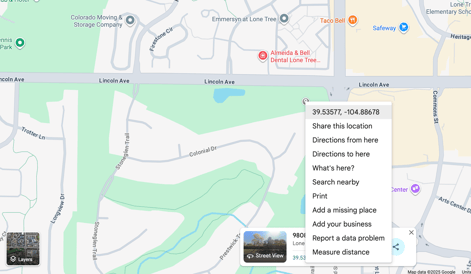
- Click onto map near the job's location in order to create a pin.
- Right-click the pin and select the coordinates shown to copy them to your clipboard.
- In Retti, navigate to the all jobs screen.
- When creating a new job:
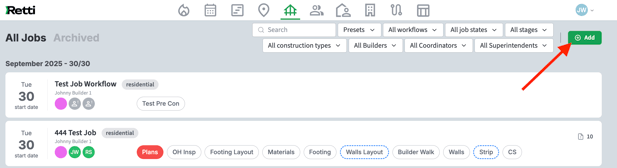
- select Add in the top right of the screen
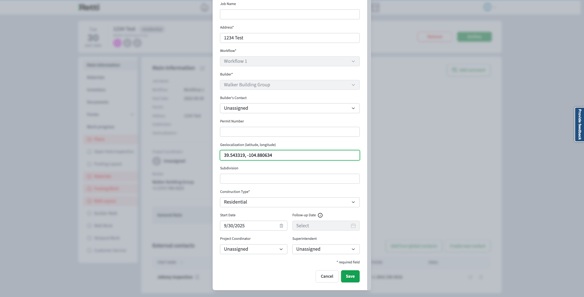
- Then paste the copied coordinates into the Coordinates field.

- Select Save.
- select Add in the top right of the screen
- When editing an existing job:
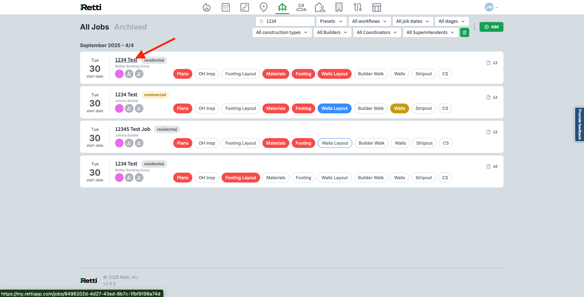
- Go into the job details by clicking the Address text.
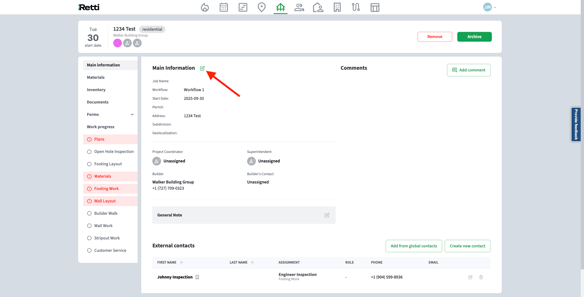
- Then, click the edit icon next to the main information.
- Paste your copied coordinates into the Coordinates field.
- Go into the job details by clicking the Address text.
- Select Save.
Now you're Retti!